
The reservation headache
The phone rings during service. A reservation email comes in between tables. One customer wants to change their Saturday booking. Another wants to cancel for tonight. The reservation book is covered in cross-outs, sticky notes are piling up, and you're not sure you wrote down the right time for that party of 8 on Friday.
This is the daily reality for most restaurant owners. Managing reservations is a time-consuming, repetitive, error-prone task — when it should be seamless and automated.
of restaurants still use a paper reservation book. Yet digital management saves an average of 1 to 2 hours per day and eliminates data entry errors.
The sources of complexity
The challenge comes from the multiplication of booking channels. Customers book by phone, by email, through your website, on your Google listing, sometimes by messaging on social media, and some walk in directly. Each channel generates reservations that need to be centralized in one place for a clear view of your schedule.
Without a centralized tool, the risks of double bookings, forgotten reservations, or overbooking are very real. And every mistake comes at a cost: a customer who arrives to find no table is a bad experience that directly impacts your reputation.
What poor management costs you

Time
Answering the phone during service, manually writing down reservations, calling customers to confirm, handling changes and cancellations — all of this takes considerable time. A restaurant owner manually managing 30 to 50 reservations per day easily spends 1 to 2 hours on it daily. Time that could be spent welcoming guests or managing the kitchen.
Customers
18% of reservations are made between 10 PM and 10 AM — hours when your restaurant is closed. Without an online booking system, these customers turn to a competitor that lets them book instantly, at any time. Every missed call is potentially a lost customer.
Peace of mind
Disorganized management creates constant stress. Did I write down that reservation correctly? Is there enough room for Saturday's group? Did the lunch customer confirm? When reservations are centralized in a reliable tool, these questions vanish. You know exactly where things stand at every moment.
Tools to get organized
Several approaches exist to structure your reservation management. Each has its strengths and limitations.
The paper notebook
Still used by 60% of restaurant owners, the paper notebook has the advantage of being simple and immediate. But it allows no automation: no reminders, no real-time availability, no analytics. Cross-outs, forgotten entries, and duplicates are common, and a lost or illegible notebook can throw off an entire evening.
The paper notebook works for very small establishments with few reservations. Once volume exceeds 15-20 bookings per day, its limitations become clear.
Spreadsheets (Excel, Google Sheets)
A step above paper, spreadsheets let you structure data and run searches. But they remain a general-purpose tool not designed for reservation management: no schedule view, no automatic reminders, no integration with your website or Google listing. And data entry is still manual.
Dedicated reservation software
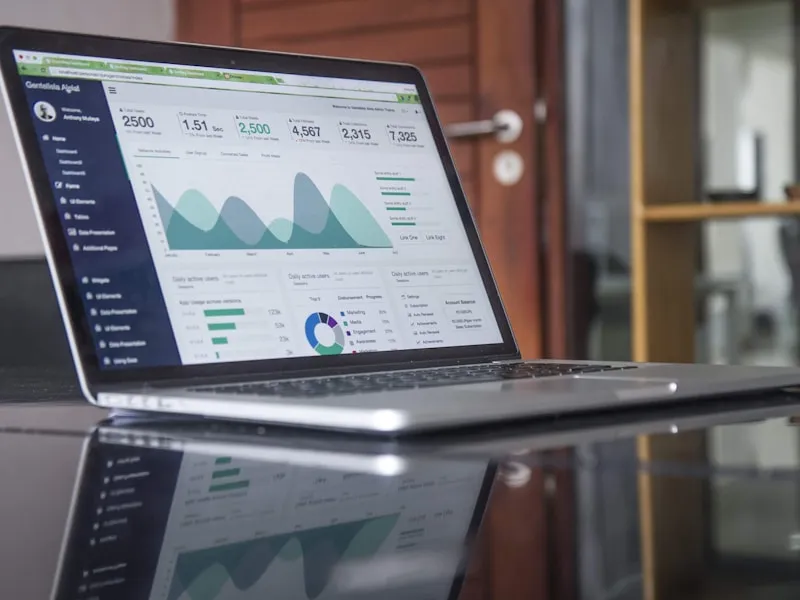
This is the most complete solution. A dedicated reservation management software centralizes all sources (online, phone, walk-in), provides a real-time schedule view, sends automatic reminders, and builds a customer database.
Customers can book online 24/7 through a booking widget integrated into your website or Google listing. The reservation appears instantly in your schedule with no manual input. Confirmations and reminders are sent automatically.
The only barrier is cost — but with flat-rate solutions like ReservFlow (€39/month), the investment pays for itself through time saved and fewer errors.
How ReservFlow centralizes everything
ReservFlow was designed to make managing your reservations simple, even with high volume and multiple sources.
All sources in one place
Online bookings (widget), phone, walk-in — all centralized in the same schedule. You only need to check one screen.
Service-based management
Configure each service independently: lunch and dinner with different capacities, hours, and policies. Sunday brunch, special evening — each slot has its own rules.
Automatic reminders and confirmations
Instant confirmation email, then scheduled reminders (email and SMS). The customer confirms or cancels with one click — you see the status in real time.
Automatic customer profiles
Each reservation automatically enriches the customer profile: visit history, preferences, internal notes. Personalize the welcome for every returning guest.
ReservFlow — €39/month excl. tax, all-inclusive
Unlimited reservations, service-based management, real-time schedule, automatic reminders, customer profiles, mobile app. No commission, no commitment.
Discover reservation management