
Why Google reviews matter so much
Before choosing a restaurant, nearly every consumer does the same thing: check the Google reviews. Your Google Business Profile is often the very first touchpoint between your establishment and a potential customer. The displayed rating, the number of reviews, and how recent the feedback is all directly influence whether they book a table — or move on.
of restaurant searches go through Google Business Profile. Reviews account for over 15% of local SEO ranking factors — a key lever for your visibility.
The direct impact on your local SEO
Google uses three main criteria to rank restaurants in local results: relevance, distance, and prominence. Customer reviews weigh heavily in that last category. Specifically, out of the 16 factors that influence positioning in the "Local Pack" (the top 3 shown on Google Maps), 8 are directly tied to reviews.
A restaurant with a 4.5-star rating and 200 reviews will consistently outrank a competitor with 4 stars and 40 reviews, even if the food quality is comparable. Volume, consistency, and recency of reviews matter just as much as the rating itself.
Barriers to collecting reviews
If reviews are so important, why don't most restaurants have enough? Because collecting reviews is rarely a priority in a restaurant owner's daily routine — and that's understandable.
The natural imbalance
An unhappy customer will almost always leave a review unprompted. A satisfied one, however, will simply move on in the vast majority of cases. The result: your Google rating reflects frustrations more than the reality of your service.
This imbalance creates a distorted picture of your restaurant. You could have 95% satisfied customers and still show a 4.0 rating simply because your happy guests don't think to leave a review.
Lack of time and tools

Manually asking for reviews after every meal is unrealistic. Between service, the kitchen, and day-to-day management, restaurant owners simply don't have time to approach every table. QR codes printed on tables or receipts are a first step, but their conversion rate remains low: under 5% on average.
The real issue is timing. Asking for a review at the moment of the bill, when the customer is eager to leave, isn't optimal. The ideal window is 2 to 4 hours after the meal, when the customer is relaxed and the experience is still fresh in their mind.
Without the right tools, hitting that timing is impossible. That's where automation comes in.
Strategies that actually work
Growing your Google review volume isn't a matter of luck. Here are the most effective approaches, from simplest to most sophisticated.
1. Optimize your Google Business Profile
Before asking for reviews, make sure your Google listing is complete and up to date. Restaurants that optimize their profile (recent photos, accurate hours, detailed description, menu) receive an average of 2.3 times more reviews than incomplete listings.
Regularly check that your information is correct: address, phone number, opening hours, booking link. A well-maintained listing builds trust and naturally encourages customers to engage.
2. Ask at the right time
Timing is the single most important factor in review collection. A request sent at the right moment can triple your response rate.
The right timing
Send your review request 2 to 4 hours after the meal. The average response rate ranges from 15% to 25%, which can mean dozens of extra reviews each month for a restaurant with a healthy booking volume.
3. Simplify the customer journey
Every extra step between the request and the published review lowers your conversion rate. The ideal flow: one click to open the Google review form, a star rating, an optional comment, and done. The smoother the process, the more customers will follow through.
Avoid lengthy requests, internal forms, or multiple redirects. The customer should be able to leave their review in under 30 seconds.
4. Reply to all existing reviews
Potential customers read your replies just as much as the reviews themselves. A restaurant owner who consistently responds — even a simple thank-you for a positive review — shows they're attentive and engaged. This encourages other customers to share their experience.
From an SEO standpoint, Google rewards active listings. Regularly responding to reviews sends a positive signal to the local ranking algorithm.
5. Filter sentiment before publication
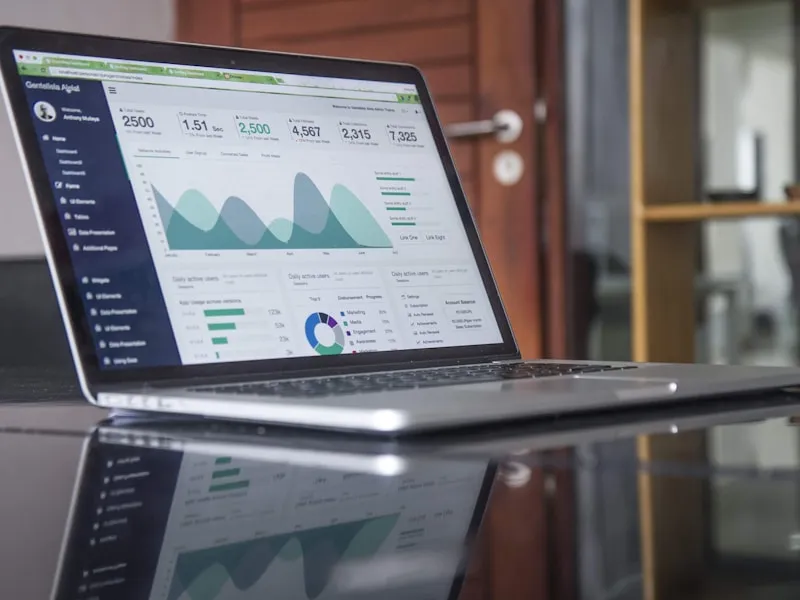
The most effective strategy is to gauge customer sentiment before directing them to Google. If the customer is satisfied, you point them to your Google listing for a public review. If they're unhappy, you capture their feedback internally so you can respond personally.
This approach has a dual benefit: it mechanically raises your average rating by directing happy customers to Google, while giving you the chance to recover a poor experience before it becomes public.
That's exactly the principle behind automated review collection: an intelligent system that sorts and routes each piece of customer feedback to the right channel.
How ReservFlow automates collection
With the Review Collection option at just €5/month, ReservFlow handles the entire process. You don't have to do anything — the system automatically identifies customers who booked and sends them a review request at the optimal time.
Automatic identification
The system detects customers who booked and whose visit has been confirmed. No manual input needed on your end.
Personalized email at the right time
An email is sent 2 to 4 hours after the meal (configurable delay). The message is personalized with the customer's name and your restaurant's name.
Sentiment analysis
The customer indicates their satisfaction level. The system analyzes their response to determine the appropriate channel.
Smart routing
Satisfied customer → Google or Facebook listing for a public review. Unsatisfied customer → feedback logged in your back office for personalized follow-up.
Review Collection option — €5 excl. tax/month
Automatic sending after every visit, sentiment analysis, conditional routing to Google or Facebook, internal handling of negative feedback, full statistics in your back office.
Discover the option in detail